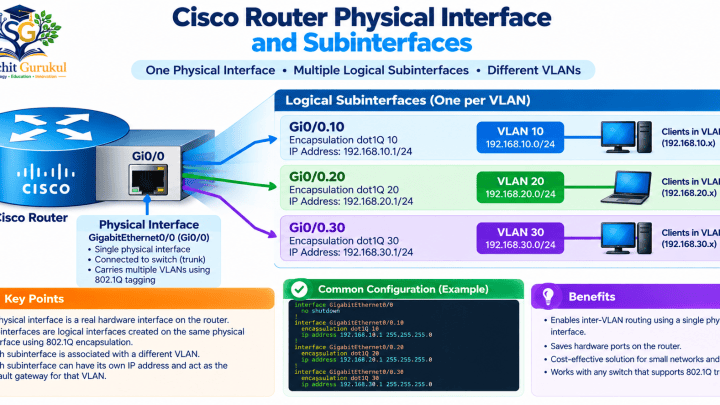
Routers need routing information before they can forward packets toward remote networks.
There are two major ways to provide this information:
- Static routing
- Dynamic routing
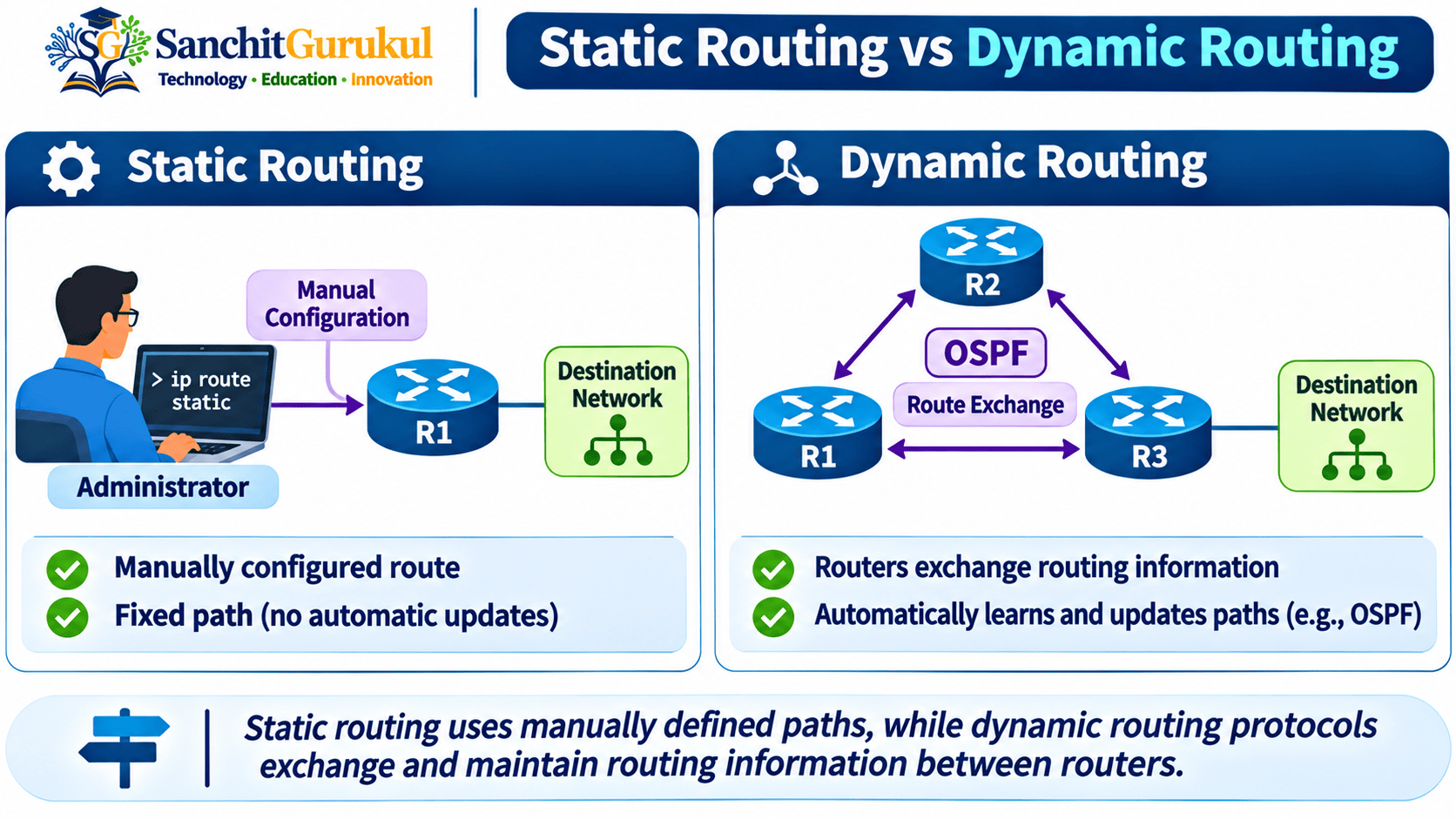
With static routing, an administrator manually defines the path to a destination.
For example:
ip route 192.168.30.0 255.255.255.0 10.0.12.2With dynamic routing, routers use protocols such as OSPF, EIGRP, RIP, IS-IS or BGP to exchange routing information and determine available paths.
Neither approach is automatically better in every situation.
A small branch with one path toward headquarters may need only a default static route.
A large network containing many routers, redundant paths and changing topology may benefit from dynamic routing.
Many real networks use both.
What Is Static Routing?
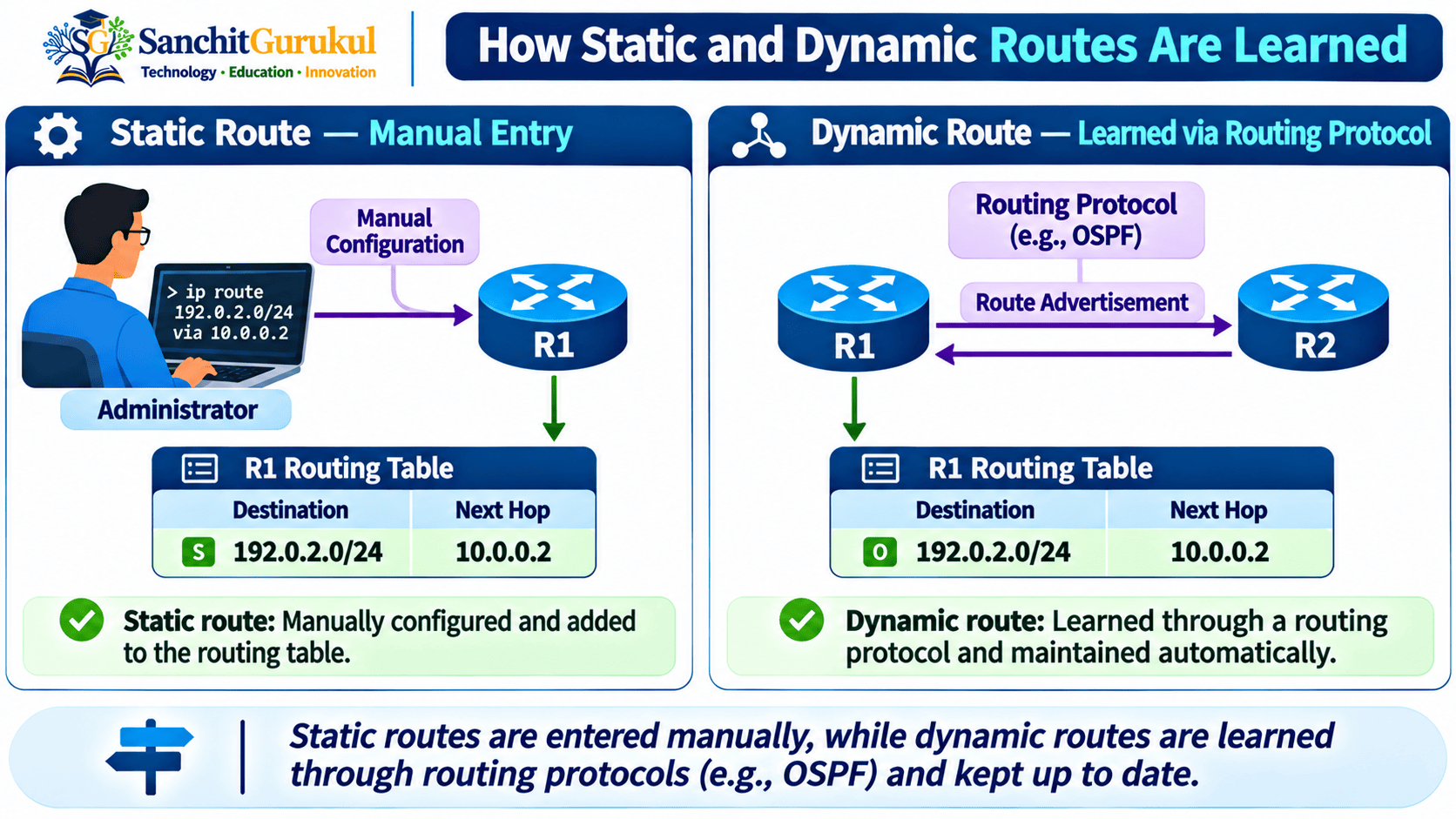
A static route is manually configured by an administrator.
Suppose R1 is connected to R2:
R1
10.0.12.1/30
R2
10.0.12.2/30
Behind R2 is:
192.168.20.0/24
R1 does not automatically know that this remote network exists.
An administrator can configure:
ip route 192.168.20.0 255.255.255.0 10.0.12.2This tells R1 to use:
10.0.12.2
as the next hop toward:
192.168.20.0/24
Characteristics of Static Routing
Static routes are:
- Manually configured
- Predictable
- Simple in small networks
- Independent of a dynamic routing protocol
- Useful for specific destination paths
- Useful for default routing
- Useful for backup routing
Static Route Types
Several useful static-routing designs exist.
Specific Static Route
ip route 192.168.20.0 255.255.255.0 10.0.12.2This provides a route toward one specific prefix.
Default Static Route
ip route 0.0.0.0 0.0.0.0 203.0.113.1This provides a fallback route for destinations without a more-specific installed route.
Floating Static Route
ip route 192.168.20.0 255.255.255.0 10.0.13.2 200The higher Administrative Distance can make this route less preferred than an intended primary routing source.
It can therefore serve as a backup when the primary route disappears and the static route remains usable.
Advantages of Static Routing
Static routing can provide:
- Simple operation
- Predictable paths
- Minimal routing-protocol overhead
- Precise administrator control
- Easy configuration for very small topologies
Limitations of Static Routing
As the network grows, static routing becomes harder to maintain.
Imagine manually configuring routes across:
- 5 routers
- 50 routers
- 500 routers
Every new network, path or topology change may require configuration updates on multiple devices.
The problem is therefore not that static routing is technically weak.
The problem is operational scalability.
What Is Dynamic Routing?
Dynamic routing uses routing protocols to exchange and maintain reachability information.
Examples include:
- RIP
- OSPF
- EIGRP
- IS-IS
- BGP
Suppose the network contains:
R1 — R2 — R3
R1 has:
192.168.10.0/24
R3 has:
192.168.30.0/24
With an appropriately configured dynamic routing protocol, R1 can learn reachability toward R3’s network without manually creating a specific static route for that destination on R1.
What Dynamic Routing Can Do
Depending on the protocol, dynamic routing can:
- Exchange reachability information
- Learn remote networks
- Evaluate multiple paths
- React to topology changes
- Withdraw unavailable routes
- Recalculate preferred paths
- Scale across larger routed environments
Dynamic Routing Is Not Fully Automatic
A common misconception is:
“Enable dynamic routing and the routers automatically know everything.”
That is not correct.
Administrators still need to design and configure:
- Routing protocol
- Participating interfaces or peers
- Areas or autonomous systems where applicable
- Metrics
- Authentication/security
- Route filtering
- Redistribution
- Summarization
- Routing policy
Dynamic routing automates route exchange and path maintenance according to configured rules.
It does not eliminate network design.
Example OSPF Configuration
A simple Cisco OSPF configuration might include:
router ospf 1
 network 192.168.10.0 0.0.0.255 area 0
 network 10.0.12.0 0.0.0.3 area 0
The exact configuration depends on the network topology and OSPF design.
Advantages of Dynamic Routing
Dynamic routing can provide:
- Better scalability
- Automatic exchange of reachability
- Topology-change adaptation
- Multiple-path awareness
- Reduced manual route maintenance
Trade-Offs
Dynamic routing introduces additional considerations:
- More configuration concepts
- CPU and memory usage
- Protocol traffic
- Neighbor/peer management
- Routing security
- Troubleshooting complexity
- Potential route leaks or incorrect advertisements
Static Routing vs Dynamic Routing
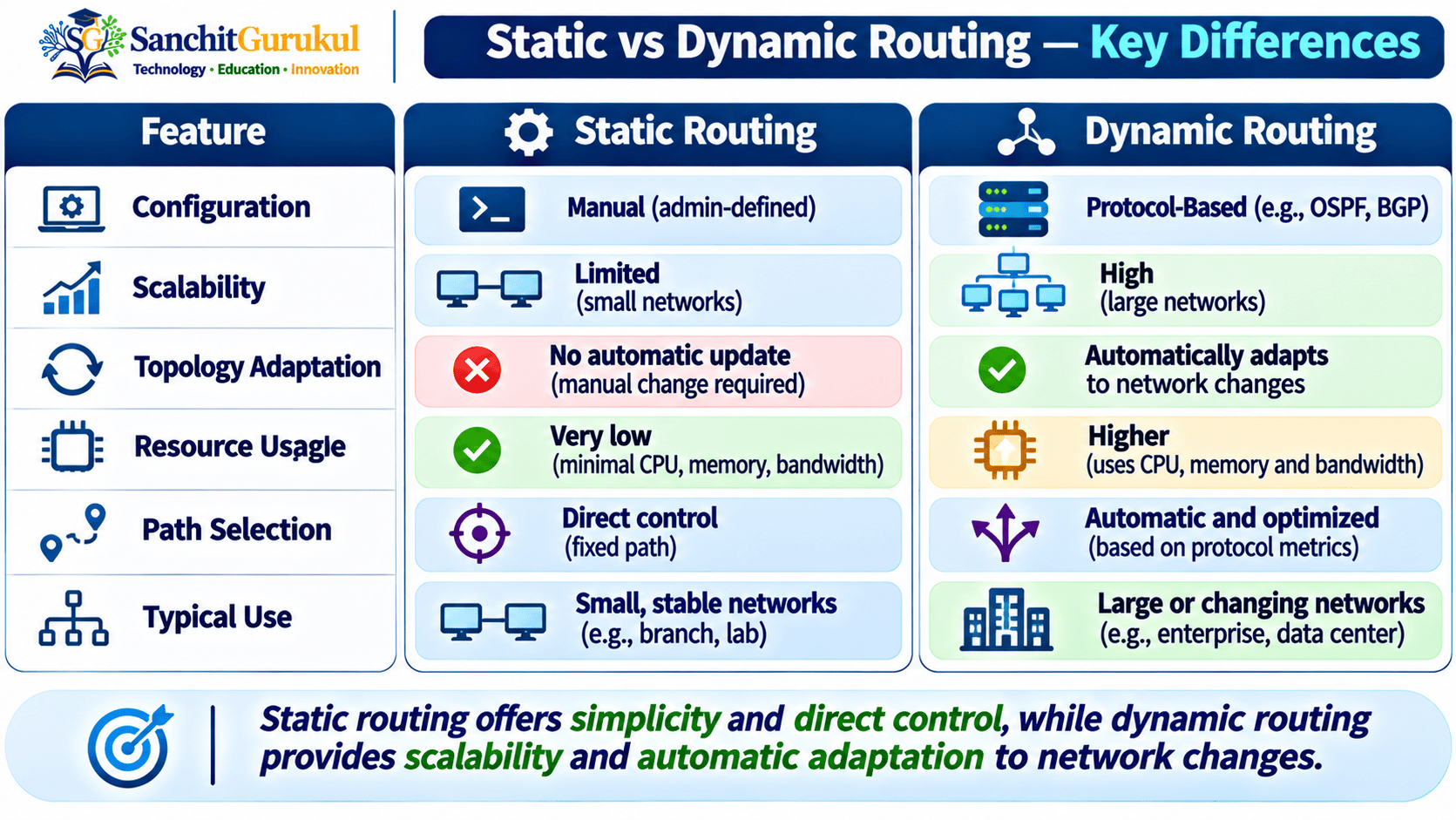
The differences become clearer when compared directly.
| Feature | Static Routing | Dynamic Routing |
|---|---|---|
| Route Creation | Manually configured | Learned through routing protocols |
| Remote Route Exchange | No | Yes |
| Small Network Simplicity | Excellent | May be unnecessary |
| Large Network Scalability | Limited | Better |
| Topology Adaptation | Manual or additional tracking | Protocol-driven |
| Multiple Path Evaluation | Administrator-designed | Protocol can calculate/select paths |
| CPU/Memory Use | Generally low | Higher |
| Protocol Traffic | None for route exchange | Required |
| Initial Complexity | Lower | Higher |
| Ongoing Maintenance | Can grow significantly | More automated |
| Path Control | Very explicit | Controlled through protocol design/policy |
| Failure Recovery | Requires design/tracking/manual action | Protocol can reconverge |
| Best Fit | Simple/predictable paths | Larger/changing topologies |
Static Routing Is Not Always Simpler
A single static route is simple.
Hundreds of static routes across many routers are not.
Therefore, simplicity depends on scale.
Dynamic Routing Is Not Always Better
Consider a small branch:
Branch LAN — R1 — WAN — Headquarters
The branch has only one possible upstream path.
A default static route may be all that is required:
ip route 0.0.0.0 0.0.0.0 10.0.12.1Running a complex dynamic routing design solely for this simple path may provide little benefit.
Dynamic Routing Helps When Paths Change
Now consider:
R1 — R2 — R4
and an alternate path:
R1 — R3 — R4
A routing protocol can evaluate both paths and react if one becomes unavailable.
That is where dynamic routing becomes increasingly valuable.
When Should You Use Static Routing?
Static routing is a strong choice when the topology is simple and predictable.
Small Networks
Suppose there are only two routers:
R1 — R2
Each router has one LAN.
A few static routes may be easier to configure and troubleshoot than deploying a routing protocol.
Stub Networks
A stub network has limited ways to reach the rest of the network.
For example:
Branch — WAN — Headquarters
If all nonlocal traffic should go toward headquarters, the branch may use a default route.
Default Route Toward an ISP or Firewall
An edge router may send unknown destinations toward an upstream firewall or ISP.
Example:
ip route 0.0.0.0 0.0.0.0 203.0.113.1The router does not necessarily need detailed routes for every external network.
Specific Controlled Paths
An administrator may deliberately use a static route for a particular destination that should follow a specific next hop.
Management Networks
Static routing may be useful in small management or out-of-band designs where paths are intentionally simple and stable.
Backup Routes
Floating static routes can provide backup reachability.
Example:
ip route 10.50.0.0 255.255.0.0 10.0.13.2 200When Static Routing Becomes Difficult
Static routing becomes less attractive when:
- Many routers exist
- Many prefixes exist
- Routes change frequently
- Redundant paths exist
- Frequent failover is required
- Manual updates become risky
When Should You Use Dynamic Routing?
Dynamic routing becomes useful when manually maintaining routing information would be inefficient or unreliable.
Larger Networks
Imagine an enterprise containing:
- Headquarters
- Data centers
- Multiple branches
- Campus networks
- WAN connections
- Cloud connectivity
Maintaining every route manually can become difficult.
Dynamic routing helps distribute reachability information.
Redundant Network Paths
Suppose a destination can be reached through two routers.
A routing protocol can evaluate the paths according to its rules.
If the preferred path becomes unavailable, another path may become usable after the routing system converges.
Frequently Changing Networks
If routes, links or devices change regularly, dynamic routing can reduce manual configuration work.
Networks Requiring Faster Route Adaptation
Dynamic routing protocols can detect or learn topology changes and update routing information.
The exact convergence speed depends on:
- Protocol
- Timers
- Failure detection
- Topology
- Device capabilities
- Configuration
Large Route Exchange Requirements
Protocols such as OSPF, IS-IS and BGP are designed to solve routing problems at scales where manually defining every individual route would be impractical.
When Dynamic Routing May Be Excessive
Dynamic routing may add unnecessary complexity to:
- Very small networks
- Single-path stub networks
- Simple point-to-point designs
- Environments with only a few stable routes
Why Real Networks Often Use Both
Static and dynamic routing are complementary technologies.
A network does not have to choose one exclusively.
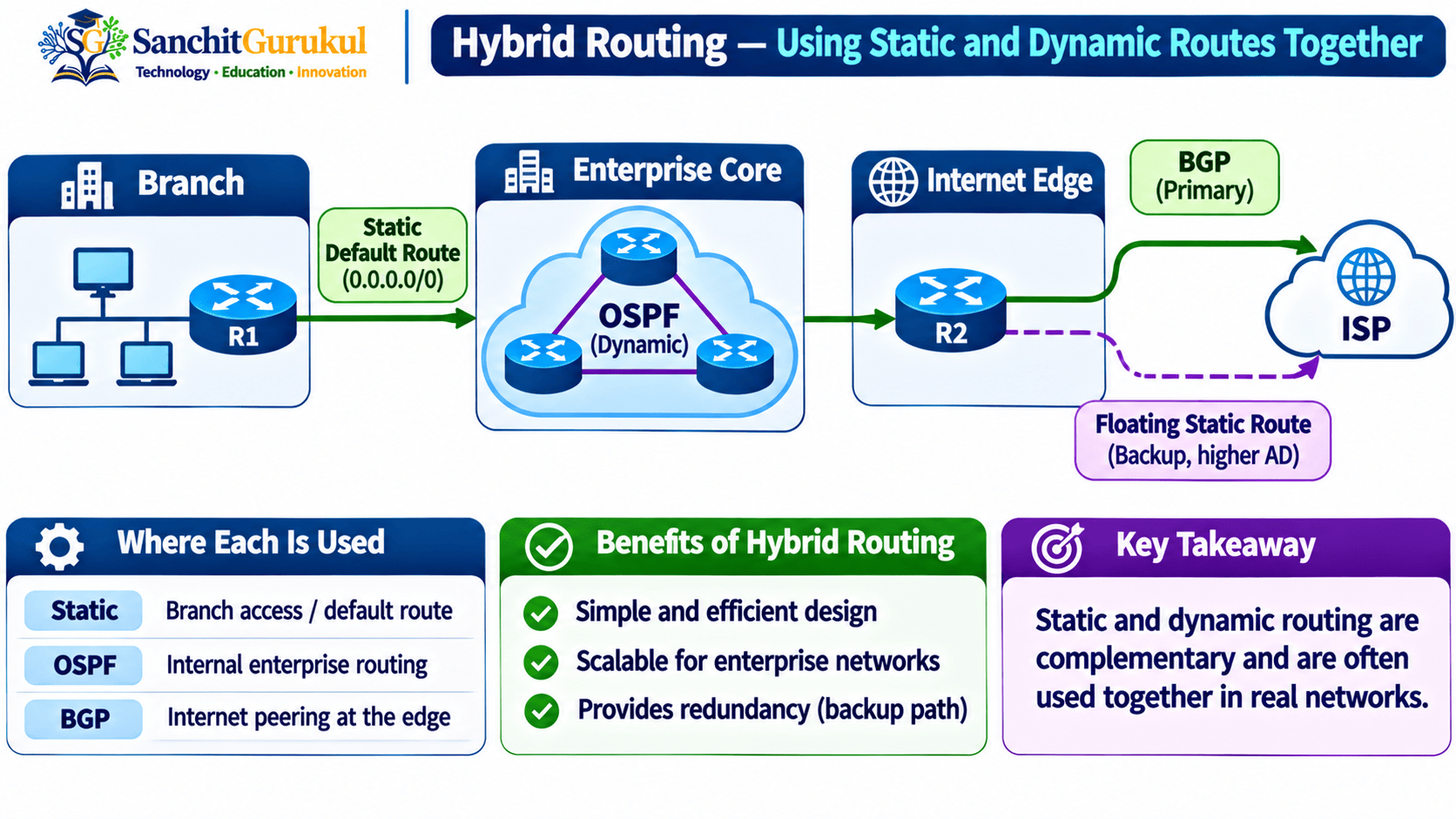
Example Design
Consider:
Branch Offices
Static default route toward headquarters.
Enterprise Core
OSPF or IS-IS for internal dynamic routing.
Internet Edge
BGP with service providers.
Backup Path
Floating static route.
This is a hybrid routing design.
Example — Dynamic Primary, Static Backup
Suppose OSPF provides:
192.168.50.0/24
Common Cisco OSPF AD:
110
A backup static route can be configured with:
ip route 192.168.50.0 255.255.255.0 10.0.13.2 200Because:
200 > 110
the static route is less preferred while the OSPF route remains available.
If the OSPF route disappears and the backup route remains valid, the static route can become active.
Example — Dynamic Internal Routing With Static Default
An enterprise may use OSPF internally.
Its Internet-edge router may also have:
ip route 0.0.0.0 0.0.0.0 203.0.113.1That default route could then be advertised into the internal routing domain if the network design requires it.
Route Redistribution Requires Care
Routes can sometimes be redistributed between routing sources or protocols.
For example:
- Static into OSPF
- OSPF into BGP
- Connected into another protocol
However, redistribution introduces additional design considerations such as:
- Metrics
- Filtering
- Route feedback
- Routing loops
- Route tagging
- Policy
It should therefore be implemented carefully.
Practical Cisco Comparison Lab
Build the same network twice:
- Using static routing
- Using OSPF
This makes the operational difference easy to understand.
Topology
LAN A
192.168.10.0/24
R1–R2
10.0.12.0/30
R2–R3
10.0.23.0/30
LAN B
192.168.30.0/24
Addressing
| Device | Interface | Address |
|---|---|---|
| PC-A | Ethernet | 192.168.10.10/24 |
| R1 | Gi0/0 | 192.168.10.1/24 |
| R1 | Gi0/1 | 10.0.12.1/30 |
| R2 | Gi0/0 | 10.0.12.2/30 |
| R2 | Gi0/1 | 10.0.23.1/30 |
| R3 | Gi0/0 | 10.0.23.2/30 |
| R3 | Gi0/1 | 192.168.30.1/24 |
| PC-B | Ethernet | 192.168.30.10/24 |
PC-A gateway:
192.168.10.1
PC-B gateway:
192.168.30.1
Part 1 — Static Routing
On R1:
ip route 192.168.30.0 255.255.255.0 10.0.12.2On R2:
ip route 192.168.10.0 255.255.255.0 10.0.12.1
ip route 192.168.30.0 255.255.255.0 10.0.23.2
On R3:
ip route 192.168.10.0 255.255.255.0 10.0.23.1Verify:
show ip routeTest:
ping 192.168.30.10Part 2 — Remove the Static Routes
Remove the previously configured routes using the no form of the same commands.
Example on R1:
no ip route 192.168.30.0 255.255.255.0 10.0.12.2Remove the corresponding static routes from R2 and R3.
Part 3 — Configure OSPF
R1:
router ospf 1
 network 192.168.10.0 0.0.0.255 area 0
 network 10.0.12.0 0.0.0.3 area 0
R2:
router ospf 1
 network 10.0.12.0 0.0.0.3 area 0
 network 10.0.23.0 0.0.0.3 area 0
R3:
router ospf 1
 network 10.0.23.0 0.0.0.3 area 0
 network 192.168.30.0 0.0.0.255 area 0
Part 4 — Verify Dynamic Routing
show ip ospf neighborThen:
show ip route ospfCompare the Results
With static routing:
You manually created each required remote route.
With OSPF:
The routers exchanged routing information according to the OSPF configuration.
Both can provide successful connectivity.
The operational method is different.
Troubleshooting Static and Dynamic Routing
The troubleshooting approach depends partly on how the route was learned.
Static Route Missing
Check:
show running-config | include ^ip routeThen verify:
show ip routeCheck:
- Destination prefix
- Subnet mask
- Next-hop address
- Next-hop reachability
- Outgoing interface
Dynamic Route Missing
For OSPF, begin with:
show ip ospf neighborThen:
show ip route ospfCheck:
- Interface status
- IP addressing
- Protocol configuration
- Neighbor relationship
- Route advertisement
- Route filtering
- Metric
- Administrative Distance
Route Exists but Traffic Fails
Regardless of how the route was learned, also verify:
- Next hop
- Layer 2 reachability where applicable
- Return path
- ACL
- Firewall
- NAT
- Destination host
Unexpected Route Is Preferred
First ask:
Are the routes for the same prefix?
If yes and they come from different sources, investigate Administrative Distance.
If they are different prefix lengths, investigate Longest Prefix Match.
If they are alternative paths within the same routing protocol, investigate that protocol’s metric and path-selection rules.
Static vs Dynamic Troubleshooting Comparison
| Problem | Static Routing Check | Dynamic Routing Check |
|---|---|---|
| Route missing | Static configuration | Protocol learning/advertisement |
| Next hop unreachable | Interface/routing/ARP | Interface/routing/neighbor |
| Wrong path | Static next hop | Metric/path selection |
| Failover not working | AD/tracking | Convergence/protocol state |
| Route source unexpected | Static AD | AD/protocol selection |
| Remote communication fails | Return route | Return route |
Key Takeaways
Static Routing
- Static routes are manually configured.
- They are simple and predictable in small networks.
- They provide precise path control.
- They are useful for default, stub, specific and backup routing.
- Large static-route deployments can become difficult to maintain.
Dynamic Routing
- Dynamic routing uses routing protocols to exchange reachability information.
- It scales better as networks and route counts grow.
- It can react to topology changes.
- Routing protocols can evaluate multiple available paths.
- It introduces additional protocol and design complexity.
Choosing Between Them
- Use static routing when the topology is simple and stable.
- Consider dynamic routing when the topology is larger, redundant or frequently changing.
- A single-path branch can often use a static default route.
- A redundant enterprise core commonly benefits from dynamic routing.
- Real networks frequently use both approaches.
Route Selection
- Longest Prefix Match deals with destination specificity.
- Administrative Distance can influence preference between route sources for the same prefix on Cisco.
- Routing metrics help dynamic protocols select paths according to their own rules.
- Static and dynamic routes can coexist in the same routing table.
Static routing and dynamic routing solve the same fundamental problem:
How does a router learn where remote networks can be reached?
They solve it differently.
With static routing, the administrator explicitly defines the route.
With dynamic routing, routing protocols exchange and maintain reachability information according to configured rules.
For a small network with only a few stable paths, static routing can be the cleanest solution.
For a larger network containing many routers, prefixes and redundant paths, dynamic routing can dramatically reduce manual route maintenance.
The most important design lesson is therefore not:
Static routing versus dynamic routing.
It is:
Use the appropriate routing method for each part of the network.
Recommended Beginner Practice
Use the three-router topology from this article.
First configure the entire network using static routes.
Run:
show ip route
Identify every manually configured route.
Test end-to-end connectivity.
Then remove the static routes.
Configure OSPF.
Run:
show ip ospf neighbor
and:
show ip route ospf
Compare how the remote networks appear.
Then perform these tests:
Test 1 — Add a New LAN
Add:
192.168.40.0/24
behind R3.
With static routing, identify which routers require additional configuration.
Then repeat using OSPF and observe how the route is distributed according to your protocol configuration.
Test 2 — Break a Link
Observe what happens to the static route.
Then compare the behavior with a dynamic routing topology that has a valid alternate path.
Test 3 — Add a Backup Static Route
Create a floating static route behind an OSPF-learned route.
Observe Administrative Distance.
Test 4 — Compare Routing Tables
Identify:
C — Connected
L — Local
S — Static
O — OSPF
Test 5 — Predict Before Testing
For each route, ask:
- Where did this route come from?
- What destination prefix does it represent?
- What is the next hop?
- Is another source competing for the same prefix?
- What happens if the preferred path fails?
The goal is to understand not only which routing method works, but why you would choose one method over another in a real network.
Useful Links and References
SanchitGurukul Static Resources
Official External References
Your feedback matters
Was this post helpful?
Discussion
0 approved comments
No approved comments yet. You can start the discussion below.
Leave a Comment
No login is required. Name and email are used for moderation/security. Your email is never displayed publicly. All comments require administrator approval.
Discover more from SanchitGurukul
Subscribe to get the latest posts sent to your email.